Drew
2026-09-24
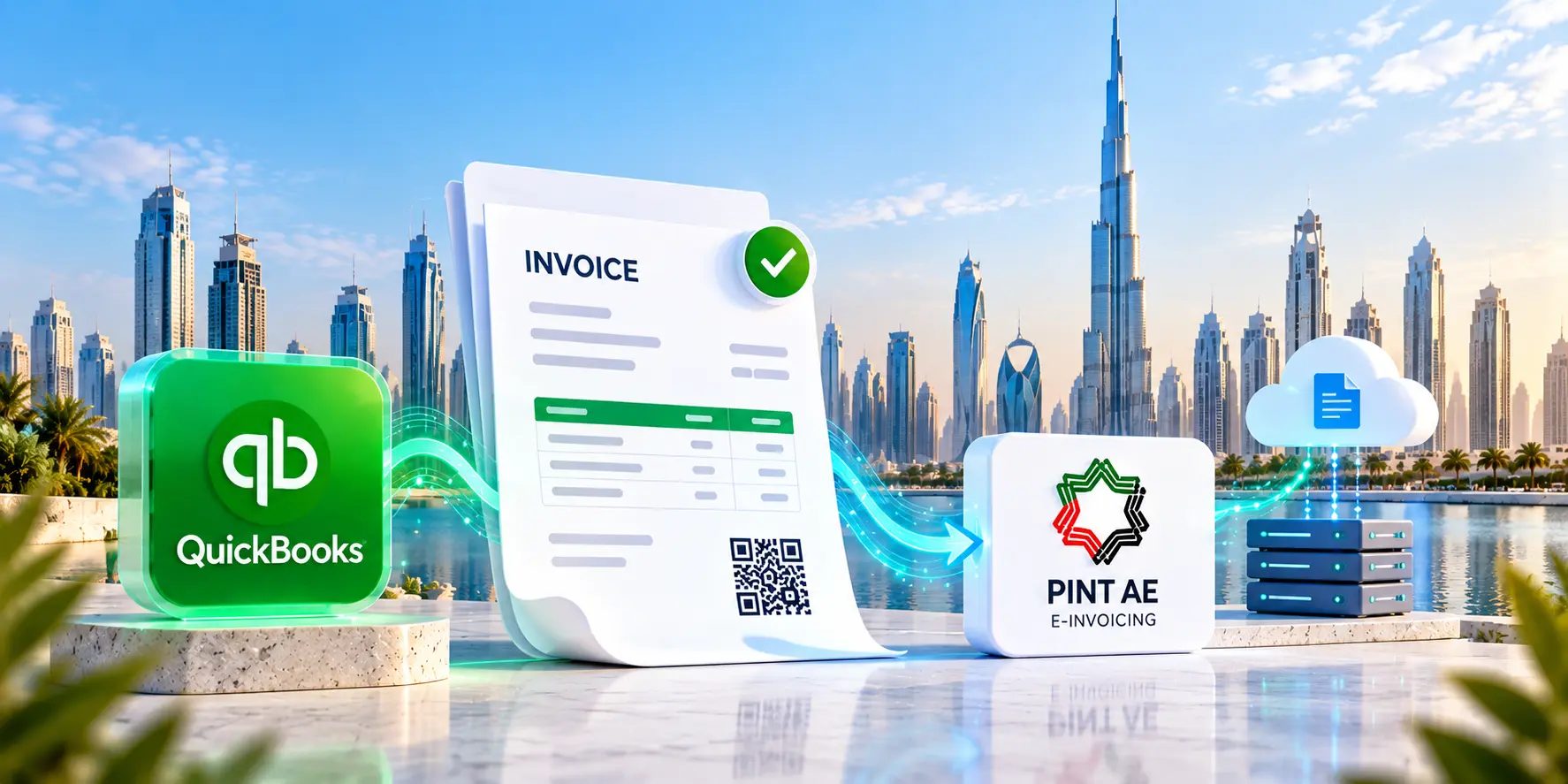
The QuickBooks Elate Add-in connects QuickBooks invoice data to the UAE e-invoicing process without forcing finance teams to rebuild invoices elsewhere. It maps required fields, prepares structured data, sends invoices through an Accredited Service Provider, returns processing status and gives businesses a clearer way to handle compliance from accounting records.
The UAE’s e-invoicing programme changes what businesses mean when they say “invoice sent.” A PDF emailed from QuickBooks may still look familiar to the finance team, but the UAE framework is built around structured invoice data exchanged and reported electronically.
So, for QuickBooks users, the practical question is simple: replace the accounting system your team already uses, or connect it to the new compliance process?
The QuickBooks Elate Add-in for E-Invoicing in the UAE is built for the second route. It connects QuickBooks invoice data with the UAE e-invoicing flow, preparing it for structured submission through an Accredited Service Provider, or ASP.
| The UAE pilot phase began on 1 July 2026. Businesses with annual revenue of AED 50 million or more move into mandatory implementation from 1 January 2027. Businesses below AED 50 million follow from 1 July 2027. The deadline for the larger group to appoint an ASP was extended to 30 October 2026. |
What Is the QuickBooks Elate Add-in?
- The QuickBooks Elate Add-in is an integration layer that extends QuickBooks for UAE e-invoicing. Instead of asking the accounts team to prepare the same invoice again in another system, it uses invoice data already recorded in QuickBooks.
- Its role is practical. It reads the transaction, maps required fields, prepares structured e-invoice data, passes the invoice into the ASP-connected process and returns the submission status.
How QuickBooks Elate E-Invoicing Add-in Works
1. Invoice Creation in QuickBooks
A sales invoice is created in QuickBooks with all the details. The add-in reads the relevant transaction data from the company file instead of someone typing it again.
That sounds small until the month-end arrives with hundreds of invoices. Reusing controlled accounting data is far more sensible than rebuilding every transaction.
2. Elate Add-in Maps and Validates the Invoice Data
This is where ordinary accounting data becomes e-invoice data.
The add-in maps QuickBooks fields to the UAE-required fields, including seller and buyer identifiers, VAT details, invoice type, currency, payment information and line-level amounts. The output is prepared for the PINT-AE structure and the XML-based exchange process.
This step can expose tiny master-data details that people stop noticing in everyday work. A customer name may have been shortened three years ago. A TRN may sit in an unsuitable field. An item description may make perfect sense to the salesperson who typed it but carries very little structured information. Software reads fields, not intentions.
Overall, validation before transmission gives the finance team a chance to correct the required data while the invoice is still close at hand.
3. Transmission to the Accredited Service Provider
- Once prepared, the invoice data passes to the configured ASP.
- Under the UAE five-corner model, the supplier’s ASP validates the invoice and sends it to the buyer’s ASP.
- Tax data is also reported to the Federal Tax Authority through the prescribed reporting flow.
- The buyer-side ASP validates the received invoice and returns message-level status information.
4. Invoice Status Tracking
After submission, the most useful question is simple. What happened to this invoice?
The Elate Add-in workflow can record the processing result against the invoice, giving the finance team a practical status view.
| Status | What it means |
| Success | Required validation, exchange and reporting responses have completed successfully. Treat this as successful processing through the e-invoicing flow. |
| Pending | The invoice has been submitted and the system is waiting for the next processing response. |
| Failed | A field, value or validation rule needs attention. The invoice can be corrected and submitted again. |
Useful status tracking saves accountants from wondering if an invoice disappeared somewhere between accounting software and the network.
Who Can Use the Elate E-Invoicing System?
- FTA-registered businesses using QuickBooks are an obvious fit, but the official scope is broader than VAT registration alone. As per UAE guidance, e-invoicing applies to persons conducting business in the UAE for in-scope transactions regardless of VAT registration status, subject to specified exclusions.
- The add-in can suit SMEs that want to continue using QuickBooks, accountants handling several company files, bookkeepers managing recurring client invoicing and larger businesses processing higher invoice volumes.
The common need is straightforward. Invoice data should move from the accounting entry to compliant electronic exchange without being rebuilt by hand.
Why This Matters for UAE Businesses
E-invoicing readiness is not really about producing a prettier invoice. It is about data quality.
- Customer identifiers need to match. Tax treatment needs to be coded correctly. Required fields need to exist before submission. Status needs to be visible after the invoice leaves QuickBooks.
- The add-in connects those steps. It reduces repeated entry, creates a clearer submission trail and makes corrections easier to trace back to the original transaction.
- There is also a compliance reason to prepare early. The UAE has issued administrative penalties covering non-compliance once a business becomes mandatorily subject to the system. Testing mappings, customer master data and ASP connectivity before the deadline gives finance teams a much cleaner start.
Conclusion
The QuickBooks Elate Add-in gives UAE businesses a practical way to continue creating invoices in QuickBooks while preparing those transactions for structured e-invoicing.
The useful part is the sequence underneath it. Create the invoice once, map the data, validate it, submit through the ASP, receive network responses and track the result.
QuickBooks stays the accounting workspace. Elate handles the connection around it.
FAQs
No. It may look perfectly fine on screen, but that is not what the new system is checking. UAE e-invoicing works with structured invoice data. The information behind the invoice matters more than how polished the PDF looks.
Because accounting data is often messier than it looks. For example, a TRN may be sitting in the wrong field. Similarly, someone may have created slightly different versions of the same customer. People can work around these things. Validation rules usually do not.
You check what caused the failure, correct the source data, rebuild the document and submit it. The useful part is having a visible status instead of wondering if the invoice actually left the system.
Before the deadline gets uncomfortably close. The software connection is usually the easier part. Cleaning customer records, checking TRNs, fixing tax fields and testing invoice mappings is where small problems start showing up. Doing that early is far less painful than fixing it while invoices are waiting.
Latest News
From Our blog and Event fanpage


newsletter
Free consultation